Pourboires Québec by MC Paiement

Clover app · Québec restaurants, bars and hotels

Revenu Québec's 8% tip rule, calculated every pay period from Clover.

Eligible sales and tips for each employee, allocation, a register to sign, a payroll report and annual totals for the TP-1086.R.1. No spreadsheet, no retyping.

Request accessTalk to an advisor
Pay period

What restaurant payroll has to do, every pay period

Collect each employee's declaration

Card tips, cash, tip pool received and given — on the TP-1019.4 or an equivalent document.

Compare with 8% of eligible sales

Sales before taxes, excluding take-out and delivery. Below the threshold, the employer allocates the difference.

Carry it all to year end

RL-1 slips and the TP-1086.R.1 return, due the last day of February.

How it works

1

Install the app

From the Clover App Market, in one click. It reads your sales, employees and shifts; it changes nothing.

2

Set employee categories

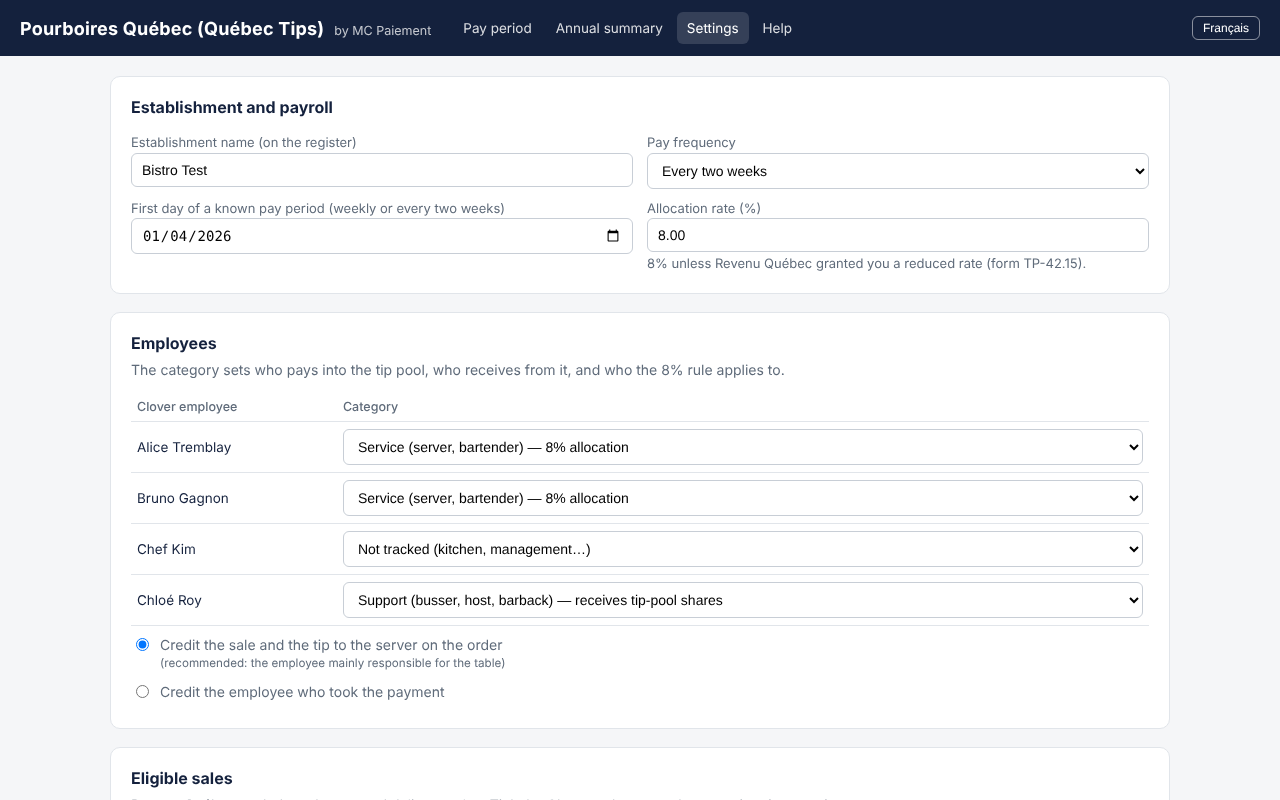
Service, support, no-allocation position or not tracked. Set your pay frequency.

3

Every pay period

Enter declared cash tips, check, print the register and export the payroll report.

What the app does for you

Pay period

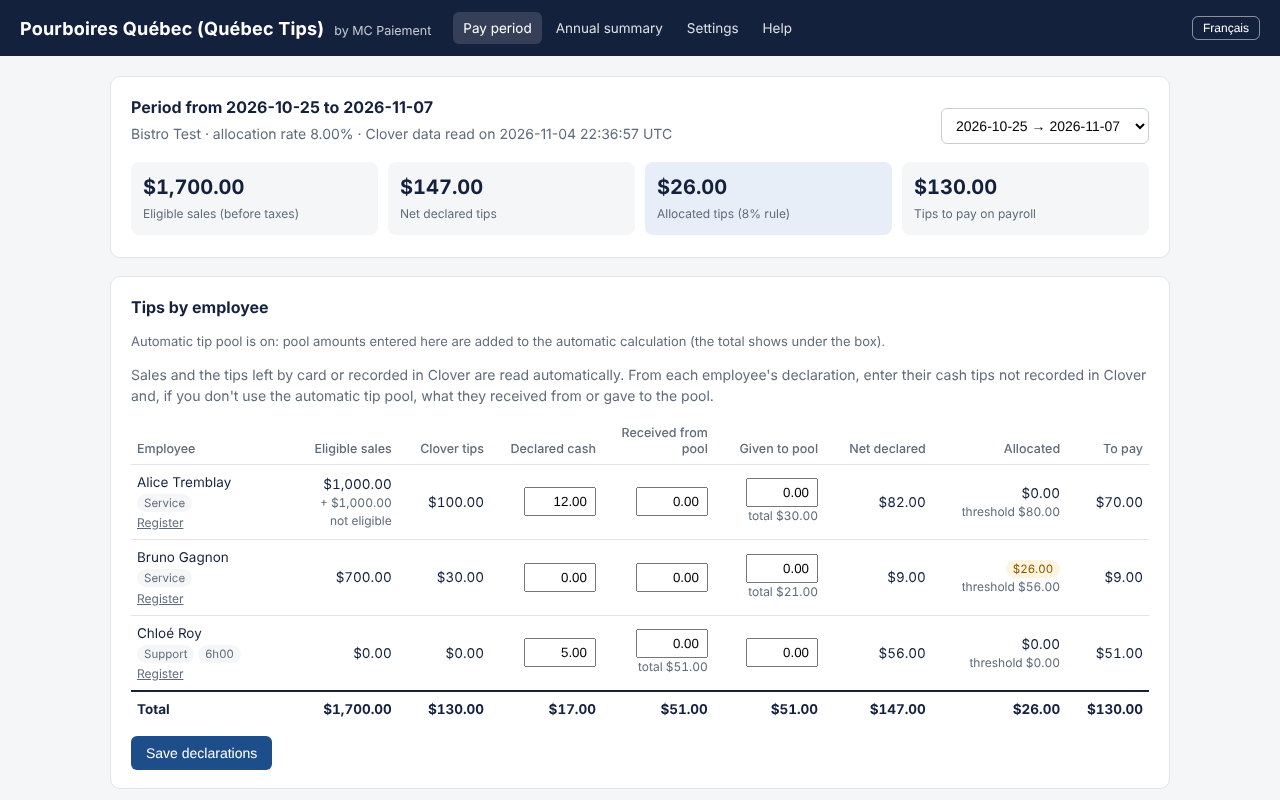
Eligible sales and tips for each employee, read from Clover. Threshold and allocation calculated automatically, at 8% or your reduced rate (TP-42.15).

Pay period

Settings

Take-out and delivery excluded by default, tip pool split by hours from Clover shifts, card tips paid nightly or on payroll.

Settings

Register to sign

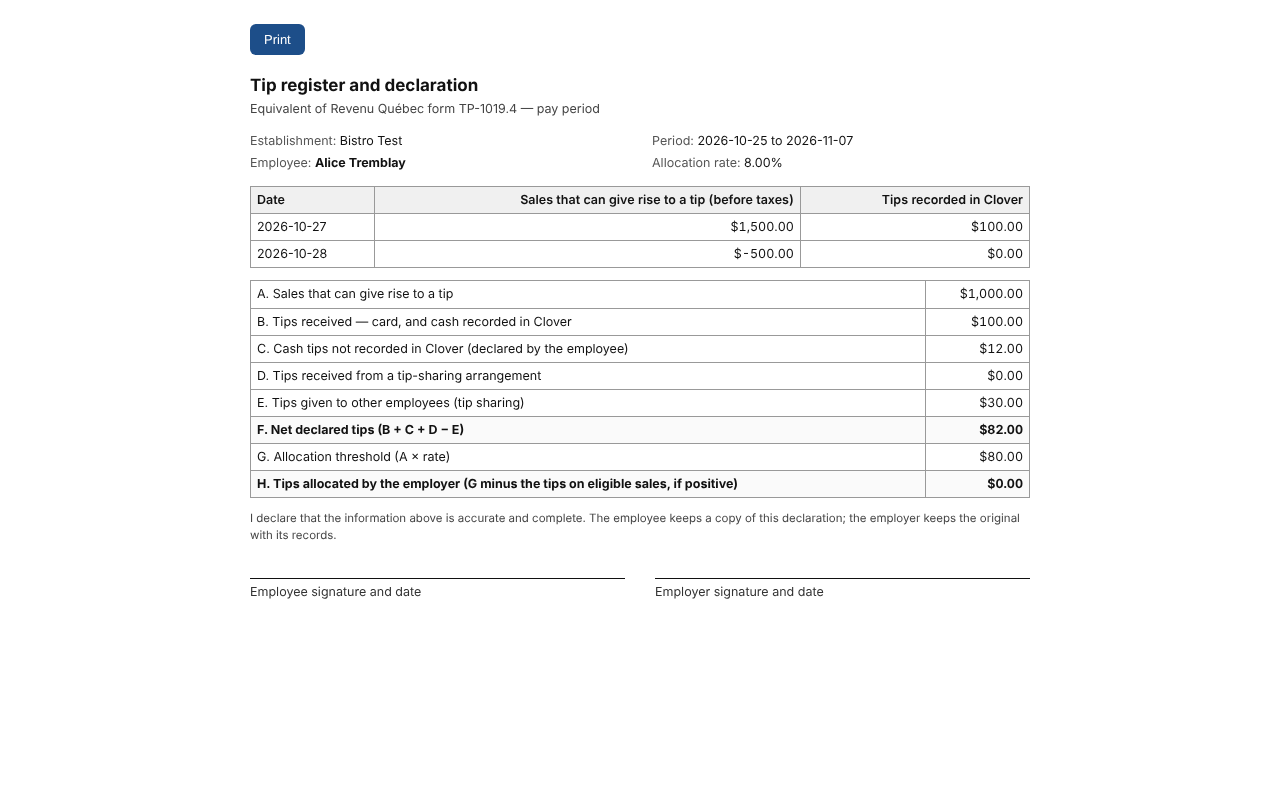
One sheet per employee: daily sales, tips, tip pool, threshold and allocated amount. Ready to print and sign.

Register to sign

Annual totals

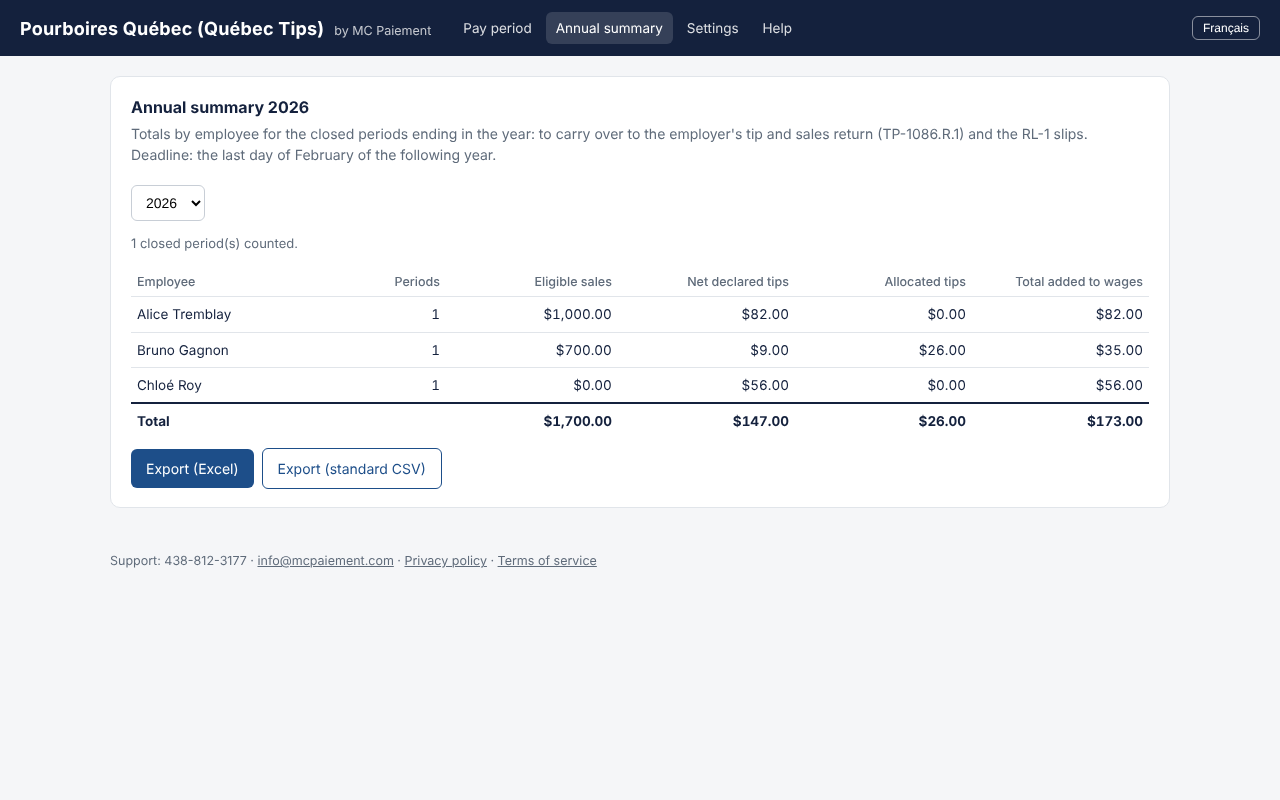
Totals per employee for RL-1 slips and the TP-1086.R.1 return, exportable for your accountant.

Annual totals

Read-only

The app never changes your sales or employees in Clover.

Data in Canada

Hosted in Canada, Clover tokens encrypted.

Bilingual

Interface, register and reports in French and English.

Support in Montréal

By MC Paiement, an authorized Clover partner.

Pricing

$24.95
per month in which a payroll report is produced
  • Free to install, first month free
  • No report that month: nothing to pay
  • Billed by Clover with your Clover fees
Processing your payments with MC Paiement? The app is included at no charge.

Frequently asked questions

Does it replace my accountant or payroll software?

No. It prepares the tip figures; your payroll provider or accountant brings them into payroll. The employer remains responsible for its filings.

What about cash tips?

Those entered in Clover are read automatically. Others are entered per period, from the employee's declaration.

My café serves at the counter — does that count?

Counter sales count by default; you choose which Clover order types count. Revenu Québec can grant a reduced rate (form TP-42.15).

Do I need a specific Clover device?

No: the app works with any Clover account in Canada and opens in your Clover dashboard.

A question before installing?